Powerful AI Features Everything you need to edit images like a pro — powered by cutting-edge AI models.
Age Modify Make a person look younger or older while keeping identity realistic.
Expression Change Change facial expressions in photos with realistic results.
Hair Change Change hairstyles and hair colors in photos realistically.
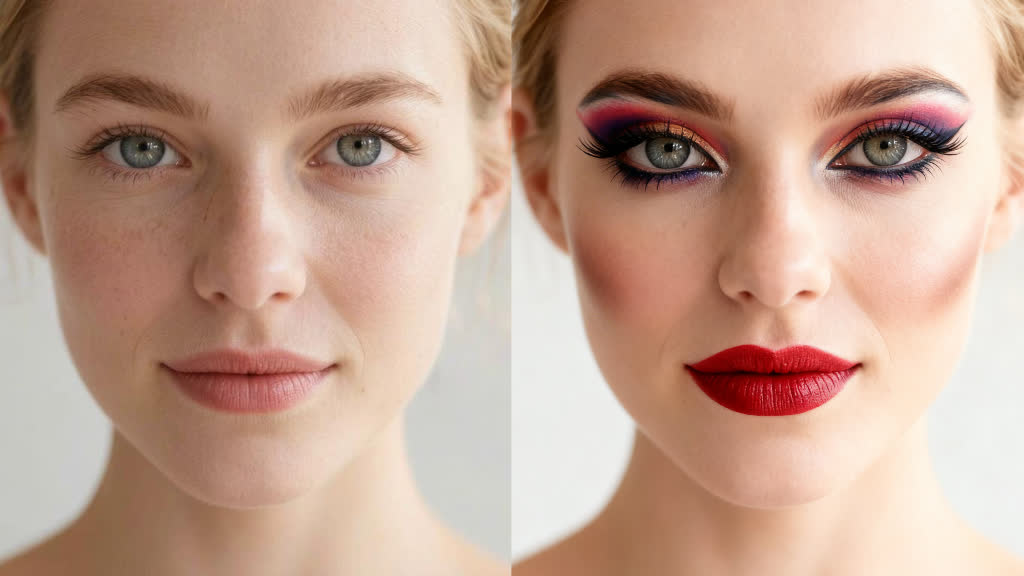
Makeup Application Apply realistic makeup styles with adjustable intensity.
Headshot Generator Generate professional headshot photos with customizable backgrounds.
City Teleport Place a person's photo into iconic cities worldwide.
Advanced Edit Highly controllable editing by combining JSON, mask, and image.
Add Object by Text Insert new objects into images using spatial text instructions.
Object Removal Seamlessly remove unwanted objects by text description.
Replace Object Naturally swap objects in images using plain language.
Rewrite Text Precisely modify existing text inside images.
Photo Enhancer & Upscaler Enhance and upscale photos with AI for sharper details, cleaner textures, and larger exports.
Image Restore Automatically renew and clean noisy or degraded images.
Portrait Enhance Enhance portrait photos with improved clarity and detail.
Outpaint Commercially-safe canvas expansion — set canvas size and image placement.
Remove Background Seamlessly remove backgrounds from images with transparent output.
Replace Background Replace backgrounds using text descriptions for enriched product shots.
Style Transfer Apply artistic styles like impressionism, cubism, or anime.
Photography Effects Apply diverse photography styles and effects to transform your images.
Texture Transform Transform object surfaces with textures like marble, wood, or fabric.
Relighting Adjust and enhance images with different lighting styles.
Colorize Transform color treatment using predefined style-based commands.
Perspective Change Easily adjust the perspective of any image to different angles.
Reseason Transform the seasonal or weather atmosphere of an image.
Sketch to Image Convert line drawings and sketches into photorealistic colored images.
Product Holding Place products naturally in a person's hands for realistic marketing visuals.
Virtual Try-On Try on clothes virtually by combining person and clothing images.