Edit Your Photos With AI.
Transform any image in seconds with AI-powered tools. Edit, enhance, restore and more — choose your tool, fine-tune the parameters, and get the perfect result.
Powerful AI Features
A professional AI photo editor online with precise image editor controls for photo enhancement, photo restoration, retouching, background cleanup, and creative production workflows.
Built for modern production teams, PixelMax combines the flexibility of an AI image editor with the speed of a photo editor online, so you can review, refine, and deliver every AI image online without desktop software. It works as an AI photo editor online for daily production and as an image editor online for detailed visual QA.
Age Modify
Use an AI photo editor to make a person look younger or older while keeping skin texture, expression, and identity realistic.
Expression Change
Adjust facial expressions in photos with an AI photo editor that preserves identity and natural lighting.
Hair Change
Change hairstyles and hair colors in a photo editor online while keeping strands, edges, and face details believable.
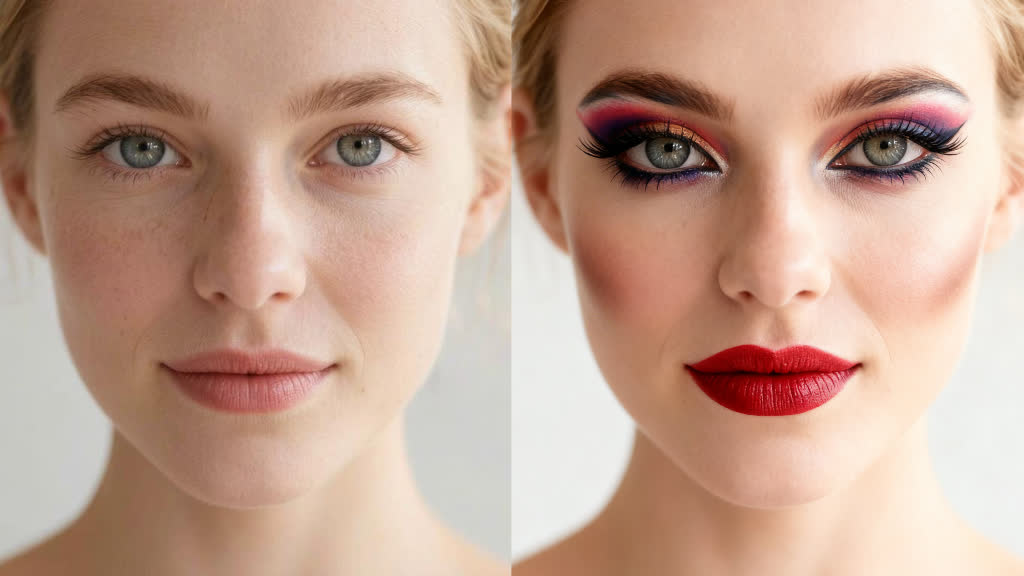
Makeup Application
Apply realistic makeup styles with adjustable intensity in an AI beauty photo editor built for polished portraits.
Headshot Generator
Generate professional headshot photos with an AI photo editor online that delivers clean backgrounds, polished skin tones, and studio-ready results.
City Teleport
Place a person's photo into iconic cities worldwide with an AI photo editor for travel, campaign, and social visuals.
GPT Image 2 Edit
Prompt-based image editing powered by OpenAI GPT Image 2, with reference images and optional mask control.
Seedream Edit
Multi-image prompt editing powered by ByteDance Seedream 4.5 and 5.0 Lite, with version selection and up to ten reference photos.
Nano Banana 2 Edit
Google Nano Banana 2 editing with up to 14 total inputs, resolution-based pricing, and optional web-grounded reasoning.
Advanced Edit
Use a professional AI image editor and AI photo editor online for highly controlled edits with JSON, mask, and reference image inputs.
Add Object by Text
Insert new objects into images with a professional AI image editor and AI photo editor online using spatial text instructions and image-aware placement.
Object Removal
Remove unwanted objects with an AI photo editor that preserves realistic textures and scene context.
Replace Object
Swap objects naturally in images with an AI image editor and AI photo editor online that follows plain-language instructions and scene context.
Rewrite Text
Rewrite or replace existing text inside images with an AI image editor and AI photo editor online for ads, packaging, and marketing assets.
Photo Enhancer & Upscaler
Enhance and upscale photos with AI in a photo editor online for sharper details, cleaner textures, and larger exports.
Image Restore
Restore old or degraded photos with an AI photo editor online and AI image editor cleanup for noise, blur, damage, and faded detail.
Portrait Enhance
Refine portrait photos with an AI photo editor and image editor controls for clearer detail, texture, and facial balance.
Outpaint
Expand a composition in an AI image editor and AI photo editor online by setting canvas size and image placement with commercially safe control.
Remove Background
Remove backgrounds in an AI image editor and AI photo editor online with clean edges and transparent output.
Replace Background
Replace backgrounds with an AI photo editor using guided prompts for polished product photos and branded visuals.
Style Transfer
Apply artistic styles like impressionism, cubism, or anime with an AI image editor and AI photo editor online for distinctive campaign art.
Photography Effects
Apply diverse photography styles and effects in a photo editor online to transform a photo for brand or social use.
Texture Transform
Transform object surfaces with textures like marble, wood, or fabric using an AI image editor and AI photo editor online for product mockups.
Relighting
Adjust lighting direction, contrast, and mood with an AI photo editor for portraits, products, and editorial images.
Colorize
Change color treatment with an AI image editor and AI photo editor online using predefined style-based commands and controlled tonal shifts.
Perspective Change
Adjust the perspective of any image with an AI image editor and AI photo editor online for more useful angles and cleaner composition.
Reseason
Transform the seasonal or weather atmosphere of an image with an AI photo editor for campaign refreshes.
Sketch to Image
Convert line drawings and sketches into photorealistic colored images with an AI image editor and AI photo editor online workflow.
Product Holding
Place products naturally in a person's hands with an AI photo editor for ecommerce and marketing visuals.
Virtual Try-On
Try on clothes virtually by combining person and clothing images in an AI image editor and AI photo editor online workflow.
How It Works
Use the AI photo editor online in three clear steps, from image upload to finished photo export, and review every AI image online before download.
Upload Your Image
Start with a product photo, portrait, or creative image in PNG, JPEG, WebP, and other common formats.
Choose Your AI Edit
Choose the right AI image editor workflow for photo cleanup, enhancement, restoration, background editing, or style changes, then fine-tune the parameters for a precise result and inspect each AI image online before export.
Download the Result
Export a polished, high-resolution image in seconds from a free AI editor workflow, ready for ecommerce, marketing, and creative production.
See the Difference
Drag left and right to compare before-and-after results from our AI photo editor, inspect each edited photo in detail, and see how the photo editor online improves clarity, lighting, texture, and overall image quality. This side-by-side view helps teams evaluate each AI image online with confidence.
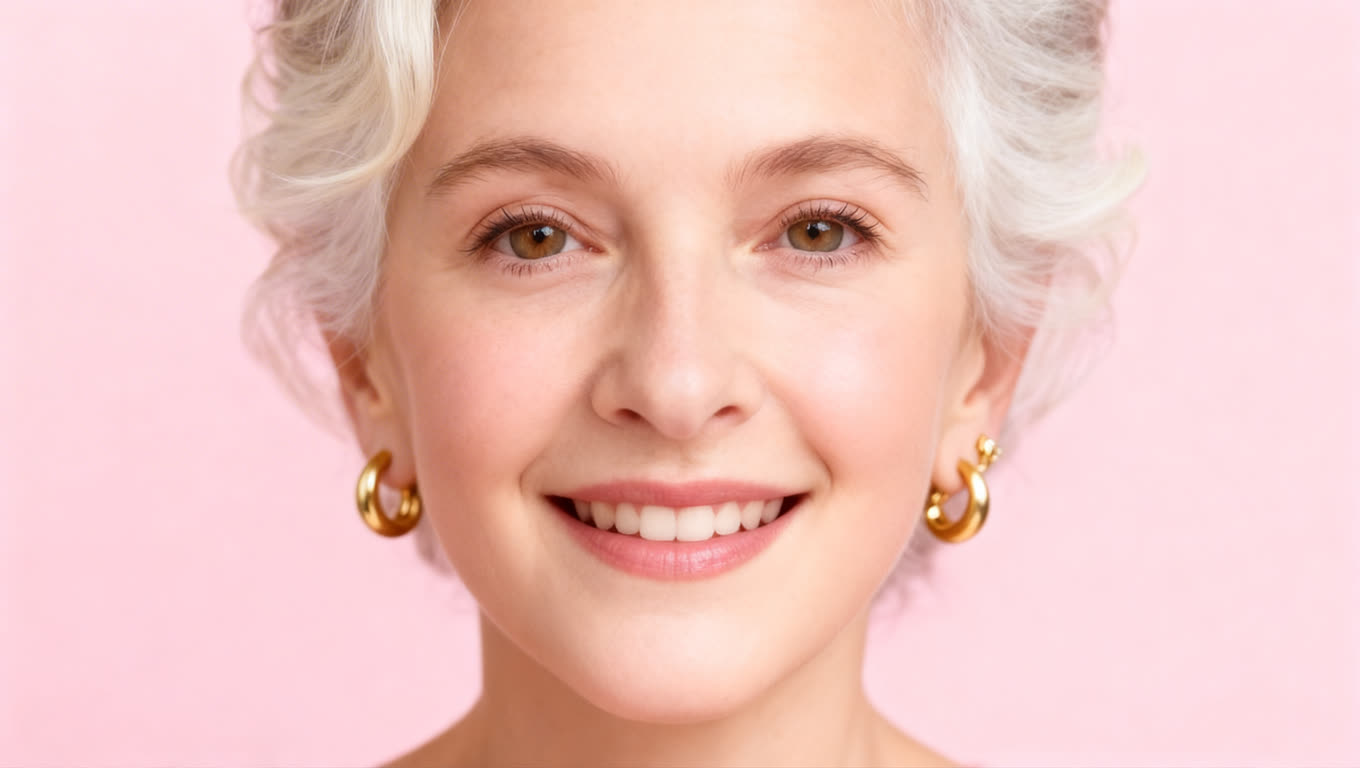
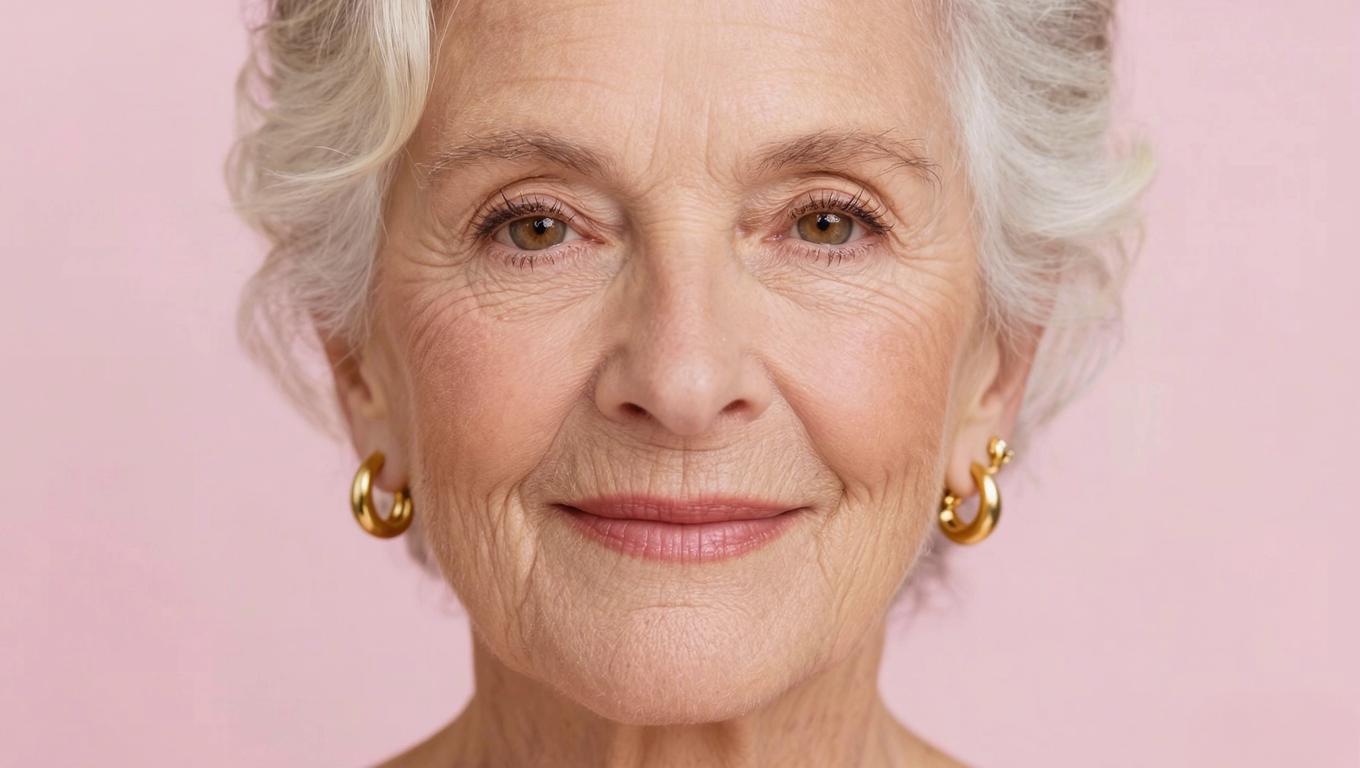 BeforeAfter
Simple, Transparent Pricing
Every new account gets 5 free starter credits, so you can test a free AI photo editor online, compare AI image quality, evaluate each AI image online, and validate real photo editing workflows before moving to a paid plan.
Lite
For regular creators who need a paid AI photo editor online and dependable photo editor online performance.
- 99 credits per month
- Up to 198 images
- Image storage for 3 days
- All AI photo editor tools
- No watermark on edited photos
Pro
For creators who need full-speed AI photo editing and a professional photo editor online.
- 199 credits per month
- Up to 398 images
- Image storage for 7 days
- All AI photo editor tools
- No watermark on edited photos
Ultra
For teams that need scalable AI image editing and a production-ready AI photo editor online.
- 399 credits per month
- Up to 798 images
- Image storage for 15 days
- All AI photo editor tools
- No watermark on edited photos
Selected plan: Pro
Credit Packs
Subscribe first to unlock this pro pack.
60 Credits
Top up for Pro subscribers.
60 permanent credits
60 base
- One-time purchase
- Never expires
- Only for Pro subscribers
150 Credits
Top up for Pro subscribers.
150 permanent credits
150 base
- One-time purchase
- Never expires
- Only for Pro subscribers
400 Credits
Top up for Pro subscribers.
400 permanent credits
400 base
- One-time purchase
- Never expires
- Only for Pro subscribers
Frequently Asked Questions
Ready to Transform Your Images?
Start with a free AI image editor workflow, then scale to professional AI photo editor online tasks as your production needs grow.
For creators, ecommerce teams, and marketers looking for the best AI photo editor online, PixelMax offers a free AI photo editor entry point, a dependable image editor online, and production-ready tools for photo editing, AI image cleanup, restoration, retouching, and commercial delivery. It is built for teams that want a free AI photo editor to start, a professional photo editor online to keep using as volume grows, and a simple way to review each AI image online before publishing or export.
Start Editing FreeNo credit card required